Clarity Console™ Website Tools » Plant Database Builder »
Download Plant Records for Your Online Plant Library
from the GardenCenterMarketing.com Plant Library
Our website customers can quickly add to their plant library by selecting records from the GardenCenterMarketing.com plant library. The images and content are for use only on our customer website only, unless authorized in writing by Clarity Connect.
Each record includes:
- Scientific Name
- Common Name
- Plant Type
- 2 – 4 selling bullet points
- Height, Spread, Hardiness Zone
- Characteristics like Full Sun, Average Water, Deer Resistant, Attracts Butterflies, Low Maintenance, etc.
How it Works:
Select Plant Manager.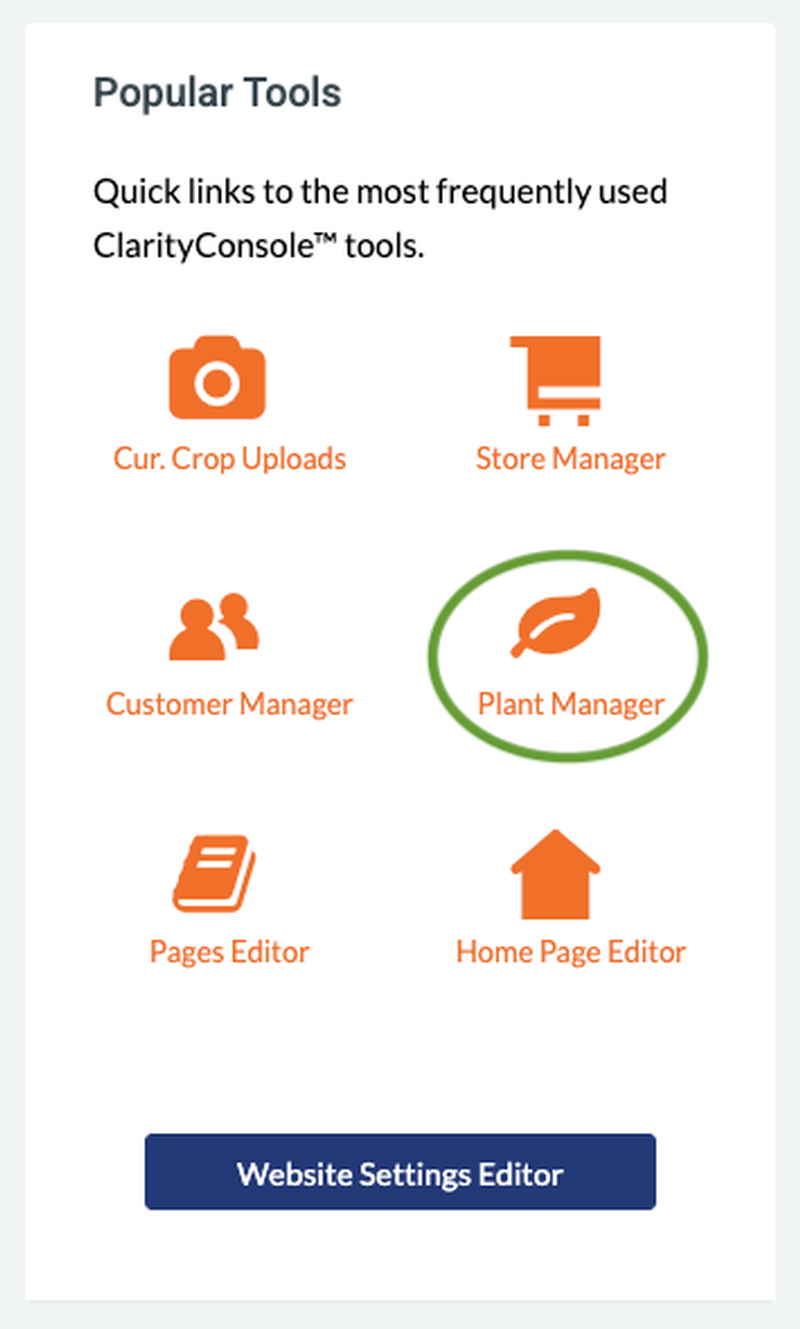 And then, 'Download Plant Records from GCM Database'
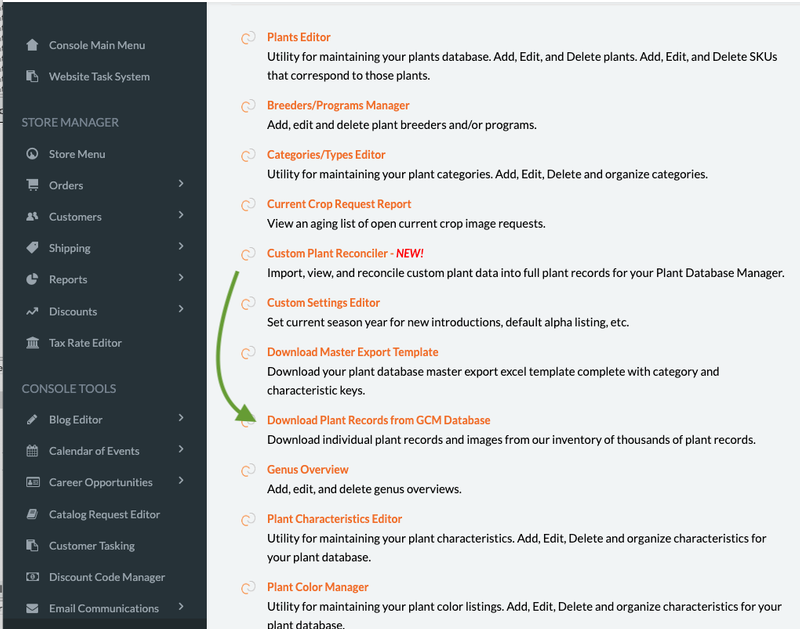
Find Your Plant(s)
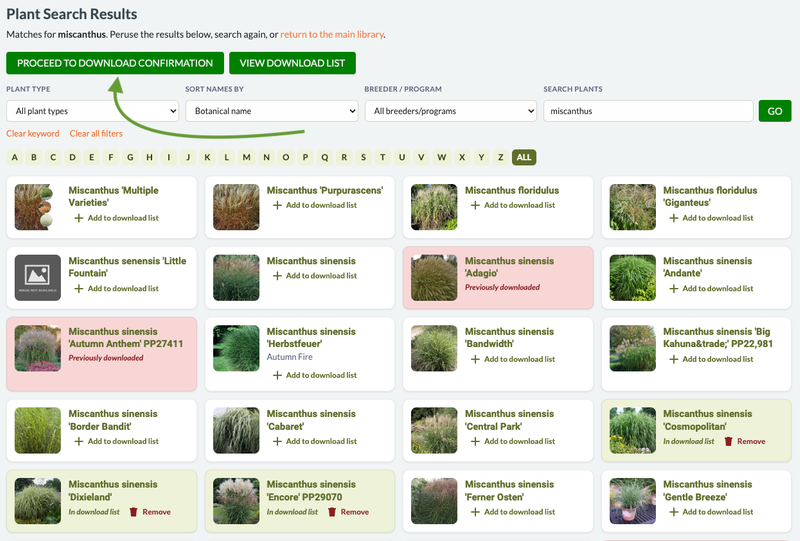
Search or filter to find the plant you need. In this example, we searched for 'miscanthus'. The following screen capture is just a portion of all the matches.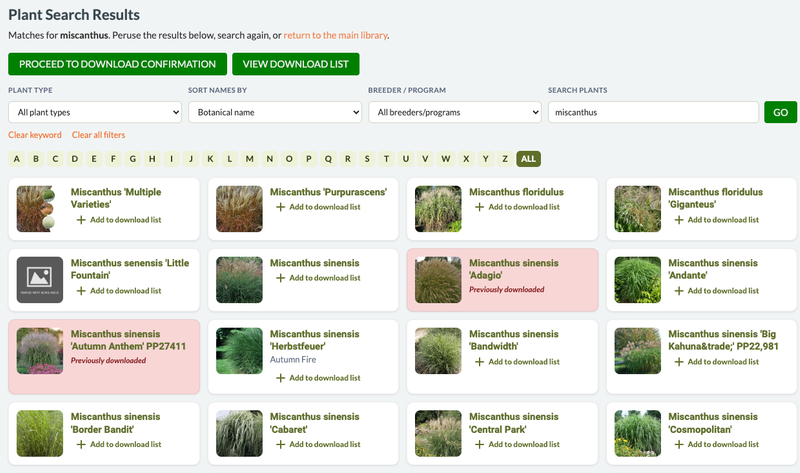 If you have already added the plant to your library, the plant record will have a pink background with 'Previously downloaded'. It cannot be downloaded again.
Search By Cultivar Yields Fewer/More specific results.
If you are looking for a specific variety, search for the cultivar. In this example, there are four records that have 'Cosmopolitan' in the name: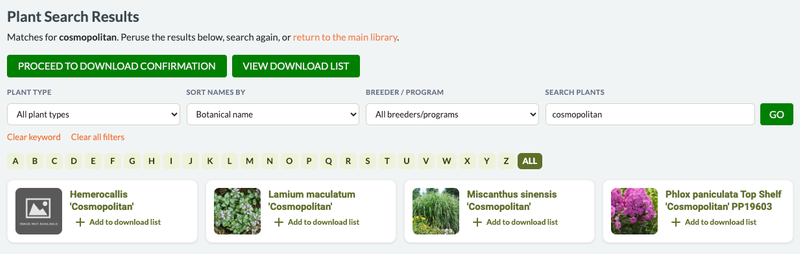
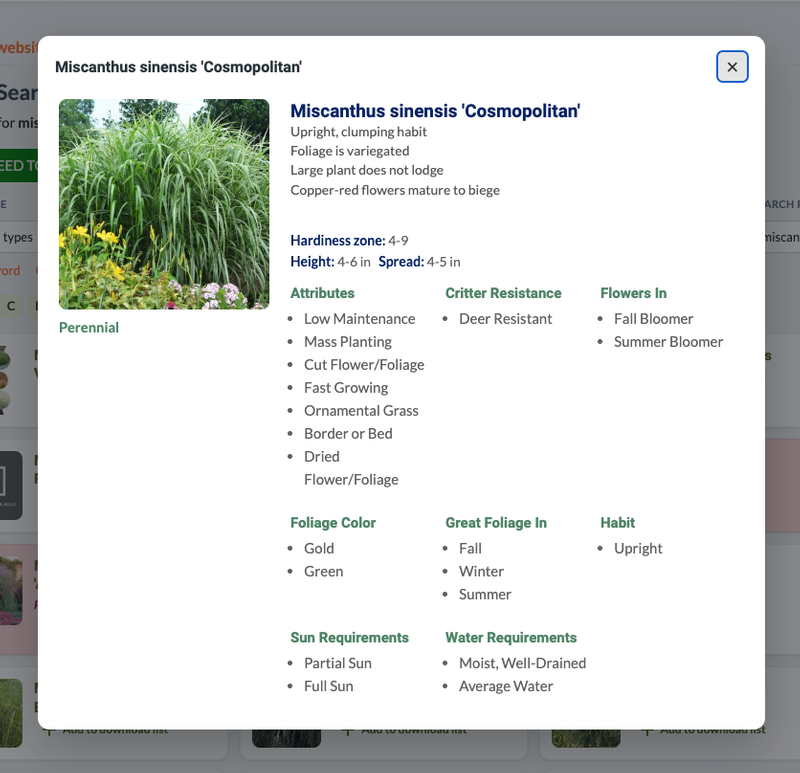
To see the details of the plant record, click on the image thumbnail and a pop-up will include the corresponding plant details:
Add Plants to Your Library
If you would like to add a plant record to your library click on [+] Add to Download List.After adding all of the plants you would like, click on the PROCEED TO DOWNLOAD CONFIRMATION button at the top left.
Be Patient...
Depending on how many plant records you are downloading it may take a bit as the system is copying images to your library in addition to the plant info.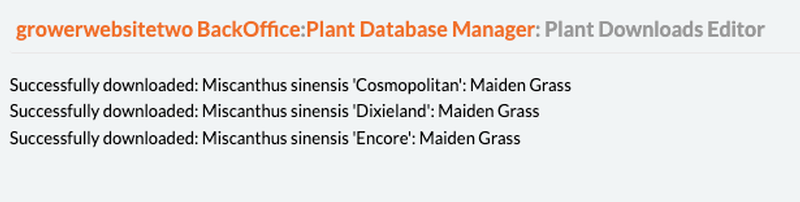
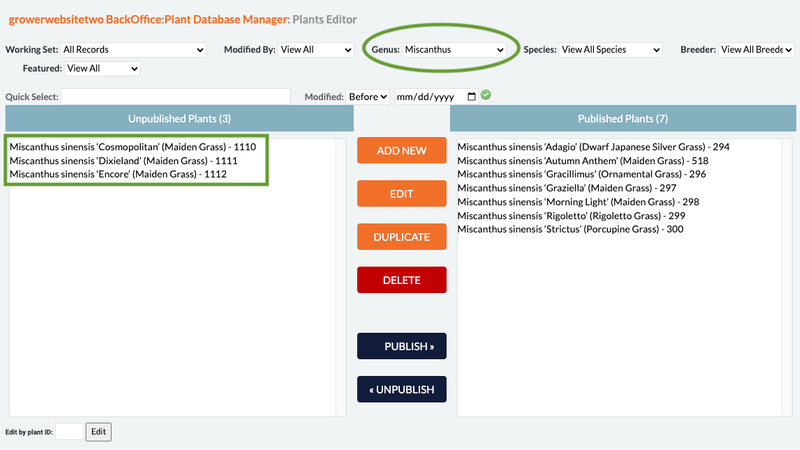
The downloaded records will be in the inactive column of your Plant Editor. If you have a lot of inactive records, you can filter your list by genus to narrow the results.
Don't forget the SKUs
Be sure to add your SKUs from the SKU List tab to show the sizes and pricing of the newly added plant(s).Don't forget the Keywords
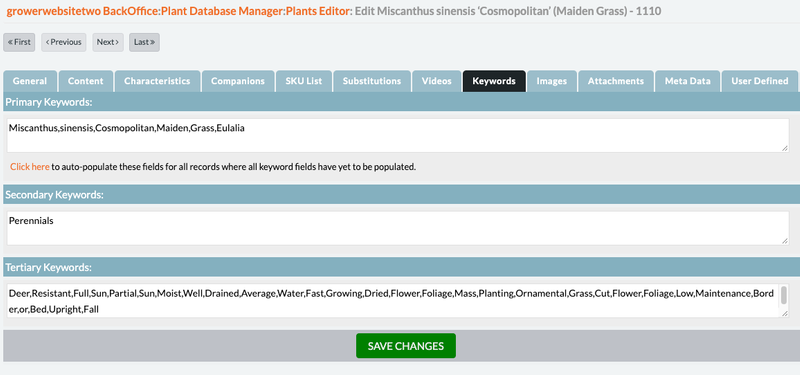
In order for the plant search to work, each plant record needs Keywords. Our system checks plant records each night and will create the keywords automatically for those records that do not have them. However, if you are going to activate your plant the same day you download it, use the Click here link below the Primary Keywords box to generate them immediately. Clicking it once will fill in keywords for ALL records that need them - not just the one you clicked it from.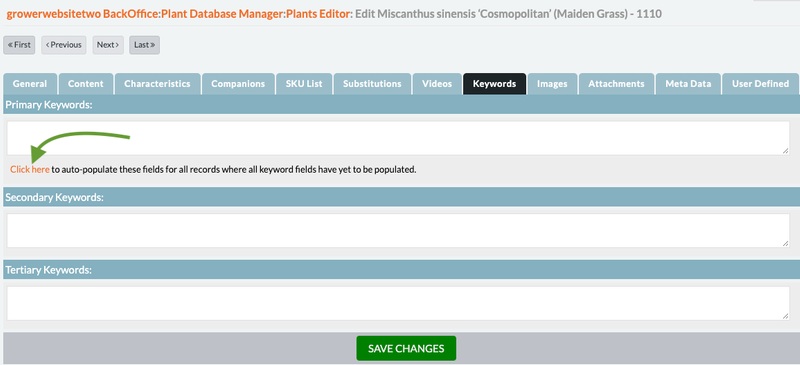
 Learn More about Keywords