Clarity Console™ Website Tools » Plant Database Manager »
Minimum Plant SKU Quantity Ordering
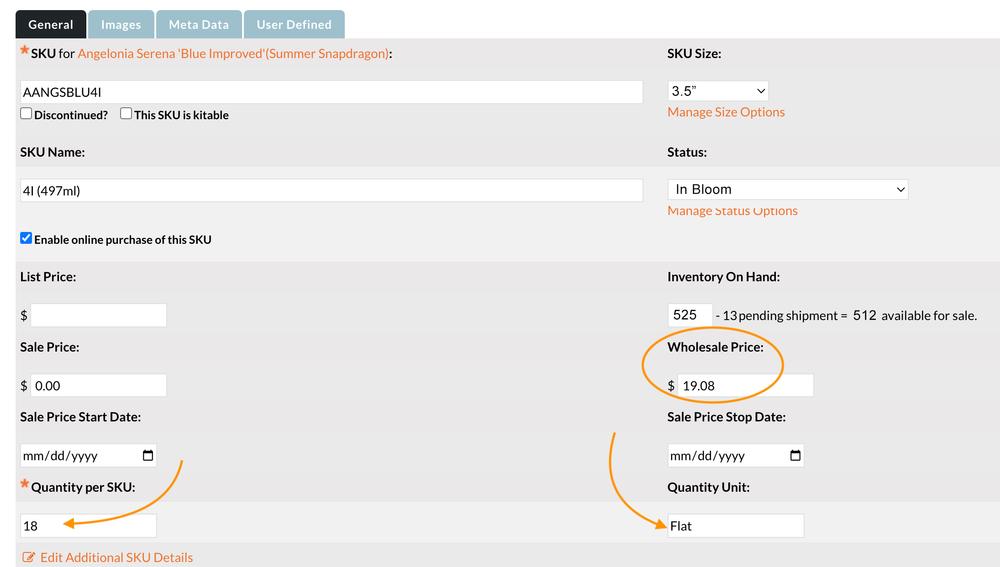 The quickest way to enforce your minimum purchase quantity of a specific plant SKU is to use the 'Quantity per SKU:' and 'Quantity Unit:' fields on the SKU tab of the Plant Editor. For example, if you sell plants in 3.5" pots but require your customers to order them by the flat with 18 units, you would:
- Enter the price for 18 units in the Wholesale Price field.
- Enter '18' in the Quantity per SKU field
- Enter 'Flat' in the Quantity Unit field.
Your customer will then see the calculated each price in the 'Availability' view: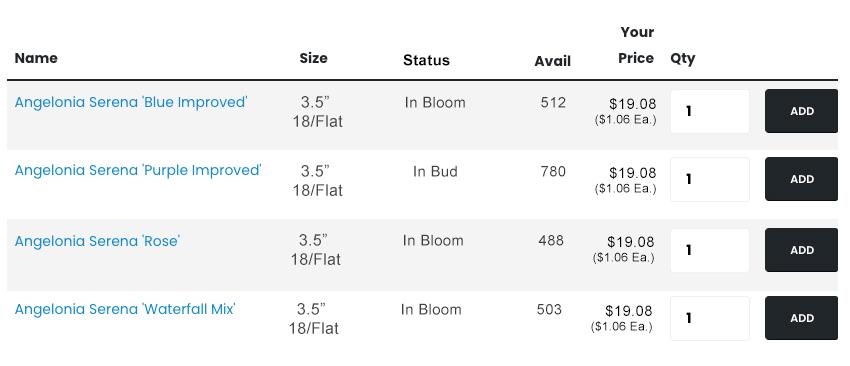 Similarly, the calculated each price is also in the SKU table of the plant detail pages: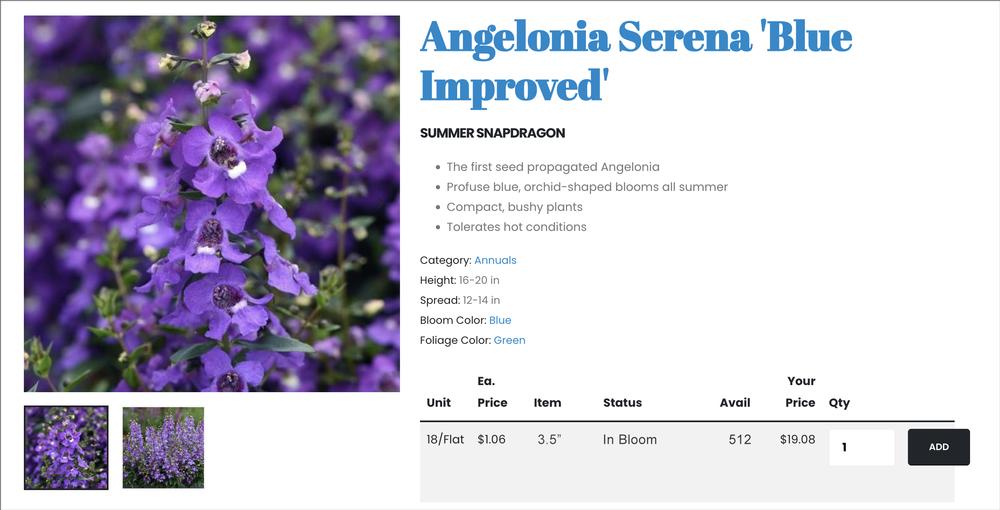
Inventory Updating
If you have elected to use actual inventory availability to limit what is sold on your site, the available inventory will be reduced by the Quantity Per Unit X the Number purchased. For example, if the starting inventory is 512 and the customer purchases 3 flats of 18, the available inventory would be reduced to 458 (512 - [18 x 12]).Please schedule time with a sales rep if you have any additional questions or would like a more in-depth demo. FREE Demo